The Ultimate Home Office Ergonomics & Health Blueprint
How to work 8+ hours without destroying your body by redesigning your workstation, movement rhythm, and recovery habits.
The modern remote work revolution has delivered freedom and flexibility, but it has also introduced a slow-motion physical cost. Dining chairs became office chairs, laptops moved to coffee tables, and temporary workarounds turned into full-time routines that strain the spine, hips, shoulders, and neck.
At DeskWarriorFit, we treat desk work as a performance environment: your setup either helps your body adapt in healthy ways or pushes it toward chronic pain patterns. This blueprint gives you a practical, science-backed system to protect posture, energy, and long-term resilience.
Section 1: The Biomechanics of Sedentary Work
Human bodies are built for movement, not static posture. Extended sitting increases stress across multiple systems, especially when posture drifts into slouching or forward-head positions.
1. Intervertebral disc compression
Sitting can significantly increase lumbar disc pressure versus standing. Over time, prolonged flexed positions dry and stress disc structures, raising risk for low-back pain and irritation.
2. Forward-head strain
As the head drifts forward, neck loading rises rapidly. That extra demand lands on upper traps and deep neck structures, often driving headaches, shoulder tension, and upper-back stiffness.
3. Lower-crossed pattern and glute inhibition
Long periods with hips flexed can tighten hip flexors while reducing glute activation. The result is a destabilized pelvis and more stress on the lower back during standing and walking.
Core Rule
Your best posture is your next posture. Static holds are the real problem; frequent position changes are the fix.
Section 2: Engineering an Ergonomic Setup
You do not need expensive gear to improve ergonomics. You need accurate positioning and consistent adjustments.
Seating foundation
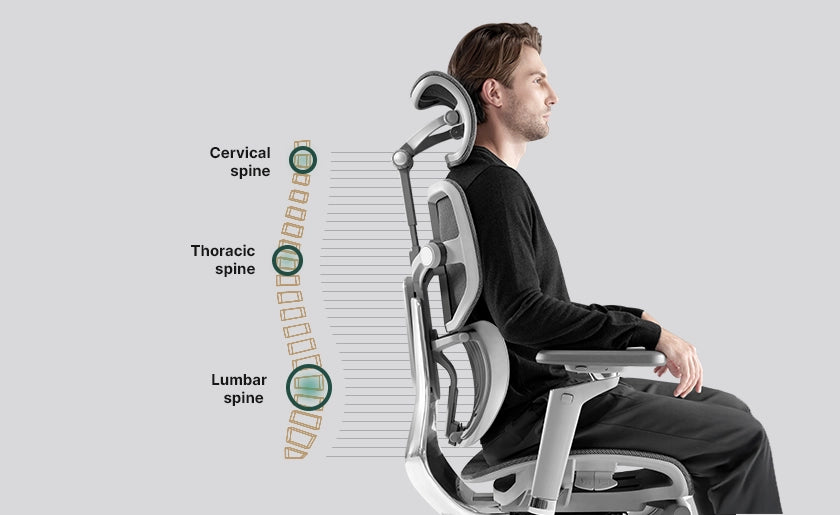
- Set seat height so feet are flat and knees are near 90 to 100 degrees.
- Maintain a small gap between seat edge and the back of the knees.
- Use lumbar support to preserve natural lower-back curve.
- Adjust armrests so shoulders stay relaxed and elbows rest around 90 degrees.
Desk and forearm alignment
Keyboard and mouse height should let forearms stay close to parallel with the floor while wrists remain neutral. If the surface is too high, shoulders shrug and neck tension rises.
Display geometry and visual ergonomics
- Keep monitor roughly arm’s length away.
- Set top of the display at or slightly below eye level.
- If text feels small, increase text scaling instead of leaning forward.
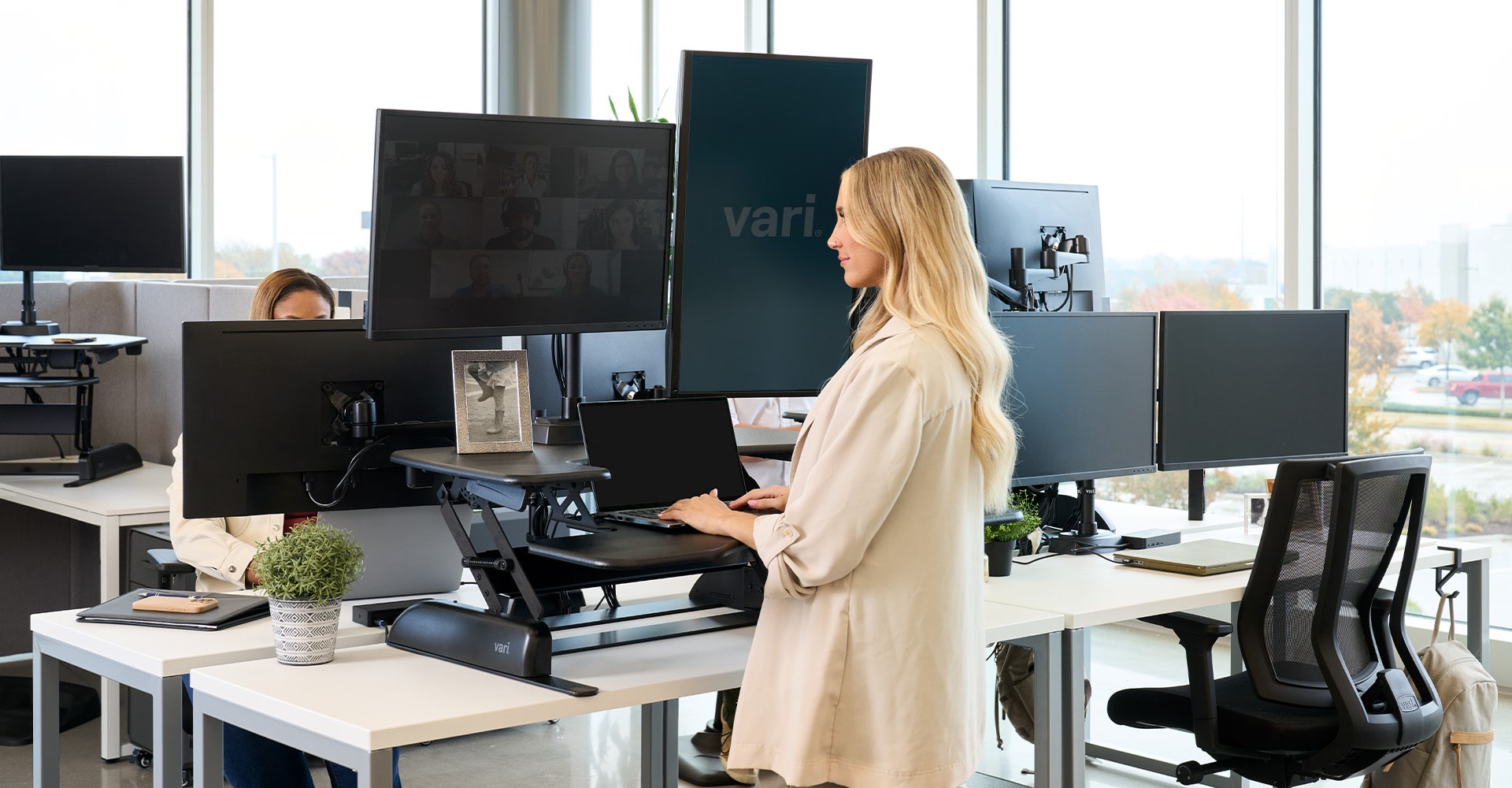
Section 3: Sit-Stand Rhythm, Not Static Standing
Standing all day is not the answer. A dynamic work rhythm outperforms both continuous sitting and continuous standing.
The 30-minute desk cycle
- 20 minutes seated, aligned work.
- 8 minutes standing work.
- 2 minutes movement: walk, stretch, breathe, hydrate.
Repeat this cadence through your day to reduce static load while preserving focus and output.
Section 4: A Daily 5-Minute Mobility Reset
Use this short sequence during your afternoon slump or between deep work blocks:
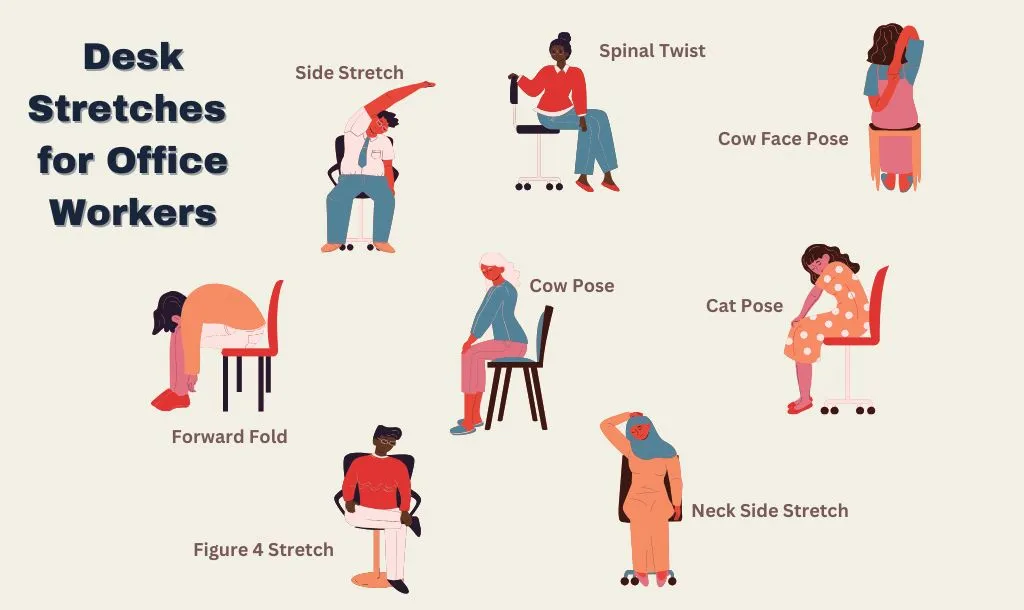
- Seated figure-4 stretch: 30 seconds each side.
- Chair thoracic extension: 8 slow reps.
- Chin tucks: 10 reps with 2-second holds.
- Forearm flexor/extensor stretch: 20 seconds each position per side.
Section 5: Lighting, Air, and Focus Mechanics
Eye strain and stale air can worsen fatigue and posture collapse. Keep screens clear of glare, look away every 20 minutes (20-20-20 rule), and improve airflow to reduce afternoon sluggishness.
Keep water visible at your desk to reinforce hydration and create natural movement breaks.
Section 6: 7-Day Workspace Upgrade Checklist
| Day | Action | Target |
|---|---|---|
| Day 1 | Chair height + lumbar setup | Feet flat, knees near 90°, lumbar curve supported |
| Day 2 | Monitor height + distance | Top of screen near eye level, no neck craning |
| Day 3 | Keyboard + mouse alignment | Elbows near 90°, neutral wrists |
| Day 4 | Start 20/8/2 cadence | Frequent postural variation through the day |
| Day 5 | Reduce glare + apply 20-20-20 | Lower eye strain and forward-head drift |
| Day 6 | Run 5-minute mobility reset | Less stiffness in hips, thoracic spine, and neck |
| Day 7 | Hydration + airflow reset | Steadier energy and better recovery at desk |
Conclusion: Build an Environment That Supports You
Your home office should not quietly wear your body down. When you combine sound workstation mechanics with frequent movement and short mobility resets, pain risk drops and performance improves. Start with one adjustment today, then let consistency do the work.